The months between sale and handover, handled.
Give every buyer one app, under your brand, to watch their unit take shape, choose finishes and approve changes. Your team stops answering the same questions over WhatsApp, email and phone.
Thalassa Residences, an example project
Pick a stage to see what the buyer of C-305 is asked to do.
Built for the work that happens after the sale
Six jobs every developer already does between contract and keys, and how each one runs on Konstruktly.
Progress
Buyers ring the office to ask what stage the building is at. Photos go out over WhatsApp to whoever asked.
The site manager posts photos for each phase from a phone. Every buyer sees the progress of their own unit.
Finishes
Tile and flooring choices arrive by email, late, and someone retypes them into a spreadsheet.
You publish the catalogue with prices and a deadline. Buyers choose in the app, you review, and each unit has one record.
Changes
A variation is agreed on site, priced later and disputed at handover.
Every change order carries its price. The buyer approves it in the app before work starts, and the approval is on record.
Payments
Accounts asks the site whether a stage is finished before chasing an instalment.
Completing a phase marks its payment milestone as due and tells the buyer. Invoices go out as PDFs with VAT on each line.
Documents
“Can you send me my contract again?”
Contracts, plans, permits and invoices sit in each buyer’s document vault, where they can find them without asking.
Handover
A snag list on paper, and a checklist only one person has seen.
Snags are logged with photos and closed one by one. The handover checklist shows what is left before the keys change hands.
Three apps, one platform.
Each role gets its own app, so nobody has to find their way through screens meant for someone else.
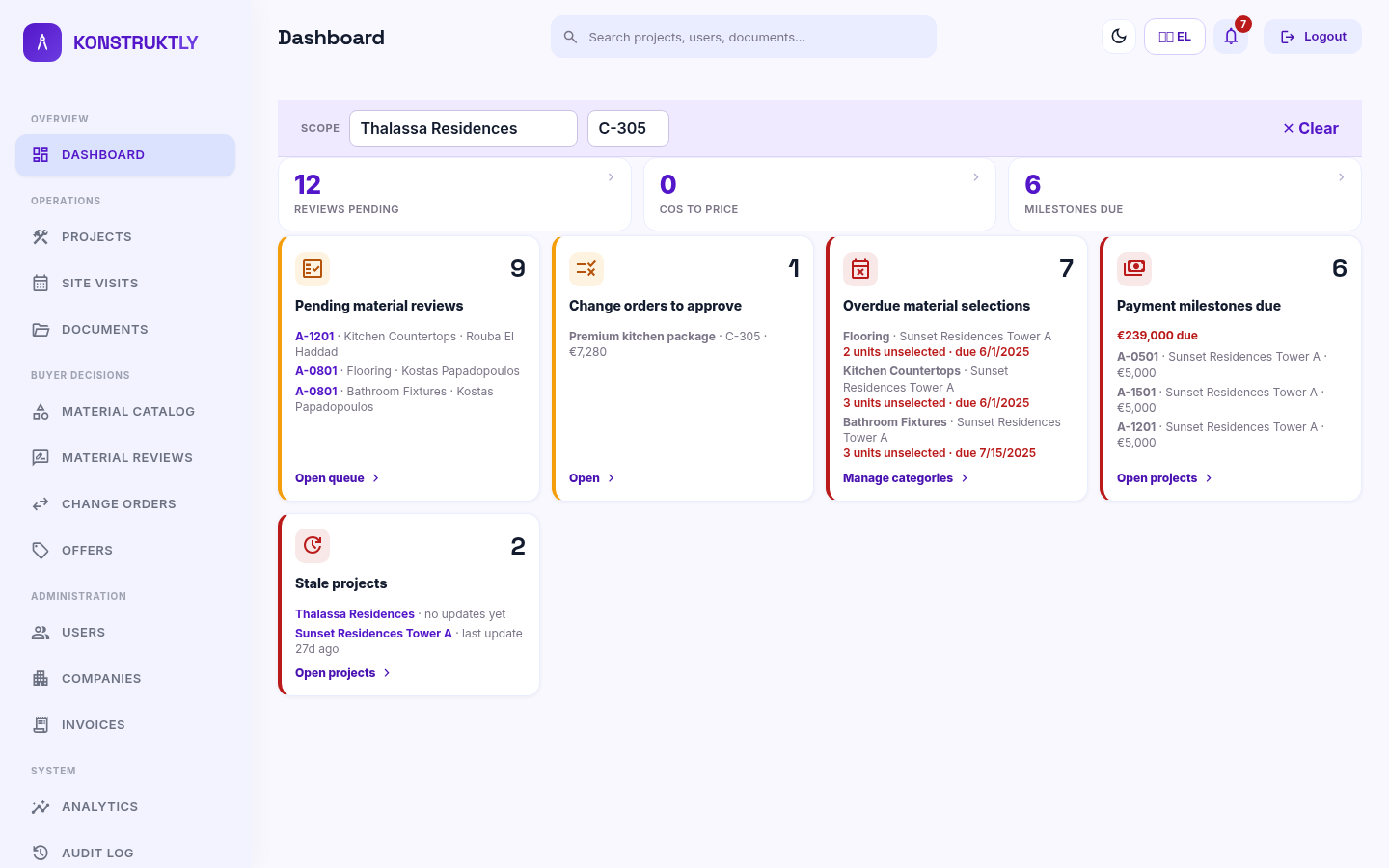
Developer portal
Set up projects and units, assign buyers, publish material catalogues, review selections, price change orders and issue invoices across every project you run.
Open the portalSite manager app
Made for a phone or tablet on site. Log progress, upload photos and mark phases complete. Buyers and the office see it straight away.
Open the site appBuyer app
A calm place that carries your brand. Buyers follow their unit, choose materials, approve change orders and keep every document together.
Open the buyer appYour brand, your platform.
Your buyers see your logo, your colours and your app name. Ours appears nowhere.
- Logo, colours and app nameSet the brand once and it applies to every app.
- Your web addressHost the portal at portal.yourbrand.com.
- Email from your own mail serverNotifications go out from your address, in templates you can edit.
- Invoices in your company’s nameEach company you operate has its own details and bank accounts.
Also included
- Connect your AI assistant
- Link an AI assistant to your account and ask it to set up projects, units and material catalogues, or send payment reminders. Nothing changes until a person approves it.
- Site visits
- Buyers and prospects request a visit. Your team confirms or declines it.
- Multilingual support
- The apps and the emails they send work in your buyers’ language.
- Spreadsheet import
- Bring in units and buyers from Excel or CSV instead of typing them.
- Read-only accounts
- Give colleagues a view of everything without the ability to change it.
- Audit log
- See who changed what, and when.
- Project archive
- Export a finished project, documents included, as one ZIP file.
See how it fits your next project
A short walkthrough with your projects in mind. We show you how it works, answer your questions and share pricing, which depends on how many projects and units you run.